Collaboration
March 25, 2026
Many government and civic technology products are built with good intentions. Yet adoption often falls short. The problem usually is not the technology. It is whether people trust the tool, understand it, and feel confident using it.
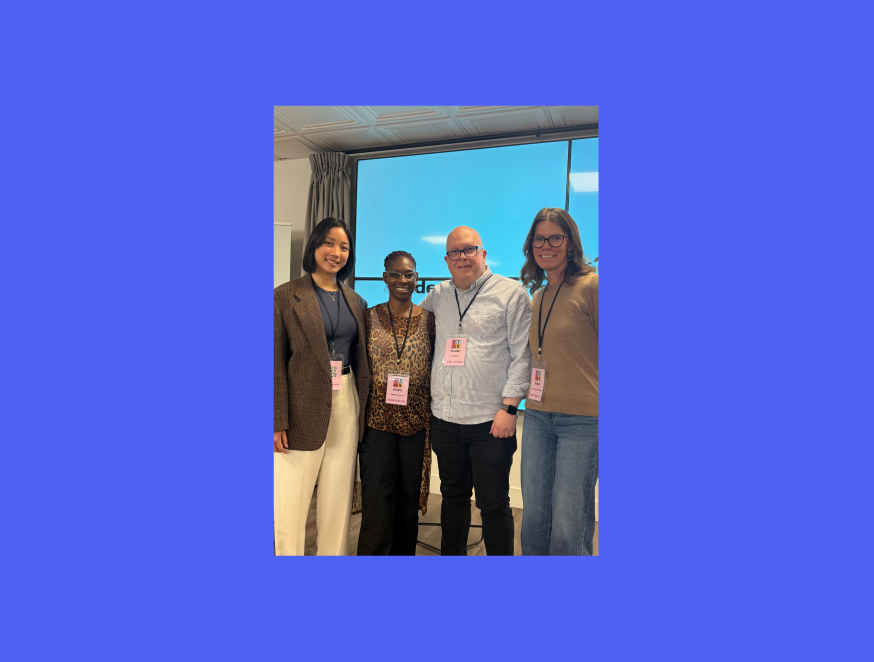
This topic came up recently when Koi Studios co-founder and design director Andrea Nguyen was invited to speak at Folsom Tech Week about user experience and accessibility in government and civic technology. The invitation came from the growing number of projects we have worked on in this space, helping teams design tools that serve communities, public programs, and government organizations.
During the conversation, one theme kept coming up. Building the technology is only part of the challenge. Getting people to adopt it is often the harder problem.
If you build digital products for public services, the real question is simple.
Below are a few lessons that consistently shape successful civic and government technology experiences.
The short answer, people will not adopt a product they do not trust.
Users in civic and government systems often approach tools with skepticism. Many worry about scams, privacy risks, or whether a program is legitimate. For internal government teams, the concern often shifts to security and data protection.
This reality should shape design decisions early.
For example, imagine a public program offering free home upgrades to eligible homeowners. At first glance, the instinct might be to create an exciting experience filled with graphs, dashboards, and polished visuals. But when teams walk through the experience from a homeowner’s perspective, something different often appears.
People may wonder if the offer is real. They may worry about strangers entering their home. They may feel impatient if the process takes too long.
In that context, flashy visuals can actually work against trust.
A better approach often includes:
When users understand what is happening and why, confidence increases. When confidence increases, adoption follows.
One of the most important principles of human centered design is simple.
You are not your user.
Product teams often understand policies, terminology, and systems deeply. That expertise creates an invisible bias. It becomes easy to assume the average person will navigate a tool the same way.
In civic technology, this assumption breaks quickly.
Users come from a wide range of backgrounds, technical abilities, and life situations. Some may be highly comfortable with technology. Others may rarely interact with digital tools.
The best way to uncover these differences is also the simplest.
Talk to people.
You do not need months of research to start learning. A few conversations can reveal surprising insights.
A quick exercise to try:
Patterns appear quickly. Those patterns often reveal design opportunities that teams never considered.
Many product teams design for what is called the happy path.
The happy path assumes everything goes exactly as expected. Users click the right buttons, systems load instantly, and information is easy to understand.
Real life rarely works this way.
Designing for civic and government services means accounting for edge cases and constraints such as:
A helpful mental model is to design experiences in two layers.
First, define the happy path. This describes how the experience works when everything goes smoothly.
Second, map the edge cases. These are the moments when things do not go as planned. The goal is to help users recover and return to the happy path instead of getting stuck.
Designing for edge cases improves accessibility, but it also improves the experience for everyone.
Many teams treat design as a polishing step that happens after building begins. In reality, design should come first.
Development makes the tool function. Design determines whether people can understand and use it.
Skipping design often leads to costly corrections later. Teams build features, only to discover that users struggle with basic workflows.
Design thinking flips this process.
Start by asking:
Once those answers are clear, building becomes far more efficient.
Technology evolves quickly. Artificial intelligence, automation, and new platforms change how products are built every year.
Yet the core design principles remain steady.
People expect tools to be easy to use. If a product feels confusing, slow, or stressful, they will move on quickly.
The most effective teams stay grounded in a few habits:
These practices are simple, but they are surprisingly powerful.
Designing for civic and government technology is ultimately about meeting people where they are. When tools prioritize clarity, accessibility, and trust, adoption becomes far more likely.
At Koi Studios, we help teams design digital products that people can understand, trust, and use in their everyday lives. If you are working on a civic or public service platform and want to improve adoption, you can chat with our team.
.svg)
.svg)
By subscribing, you agree to receive emails from Koi Studios. Unsubscribe anytime using the link in our emails.